

Vicki Cole is an Innovate My School expert and writes regular articles on laptop security and charging solutions for charging mobile ICT en masse.
Vicki works at mobile ICT security, charging and storage expert LapSafe® Products, the company behind the UK’s first ever laptop trolley. LapSafe® Products has been a trusted brand within the education sector for more than a decade, providing superior solutions to track, manage, store and charge laptops, netbooks and tablets since 2000. LapSafe® Products pioneered the industry it now leads and manufactures the most comprehensive range of charging products on the market. Recent products include: the UnoCart™ sync and charge for iPads, the ClassBuddy™ quality low-cost laptop trolley and the RFID Diplomat™ laptop locker.
Please enjoy our free educational guides:
Twitter: www.twitter.com/lapsafe
Facebook: www.facebook.com/LapSafeProducts

For today’s schools, sustainability should entail far more than being green.
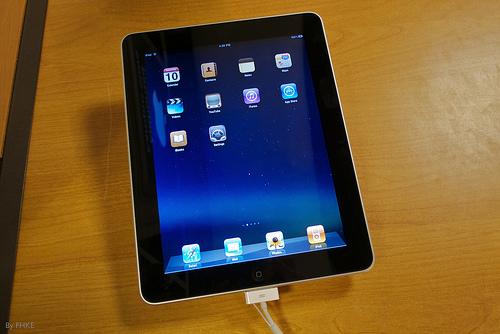
Earlier last month, Apple’s CEO, Tim Cook, marked the launch of the new iPad by declaring that we live in a ‘post-PC world’. Regardless of whether you agree with Cook’s statement, it would be difficult to deny that ICT in schools has moved far beyond desktop computers.
Tablet PCs, MP3 players and even handheld gaming devices are being used increasingly in UK schools to deliver learning in engaging, inspiring and flexible ways. Although using mobile devices in the classroom can benefit both pupils and teachers, just like traditional teaching methods, mobile learning needs to be properly planned and managed.
Here are my five tips for managing mobile learning in the post-PC world:

Whether to allow pupils to bring their own technology into the classroom is a subject that divides opinion. Will BYOD, short for bring your own device, help schools to save money by reducing spending on school owned ICT? Or, is permitting pupils to use their own laptops or tablets in lessons a security nightmare waiting to happen?
Although many are yet to be convinced of the benefits of using student owned IT in the classroom, one thing is for certain; managing a BYOD scheme in schools requires careful planning. With this in mind, here are some things to think about when managing BYOD in your school:
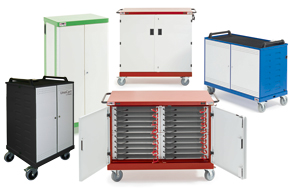
Laptops are fantastic learning tools, but it is no secret that mobile devices can pose issues for schools when it comes to managing and deploying equipment. Although laptop trolleys were created to resolve these problems, it is still important to have an action plan in place to get the most from your mobile ICT.
To make organising your school’s ICT equipment that little bit easier, I’ve put together some short tips on how to manage laptop trolleys and laptops in the classroom.
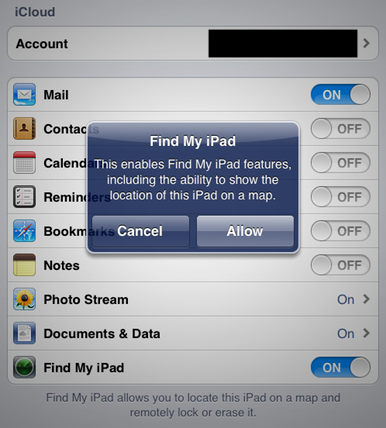
Best known for its sleek and easy to use consumer technology, Apple has made significant inroads into the field of educational ICT over the last two years.
Boasting an online store with hundreds of educational apps and Apple Regional Training Centres ready to deliver workshops on creative ways technology in the classroom, Apple has become a firm favourite with schools around the UK.
Although Macs, iPads and other Apple devices can be fantastic resources for pupils, their aesthetic design and high specification can also make them particularly attractive to thieves. Apple products have a high resale value on the open market and can easily be removed from buildings if the correct security measures are not in place over the school holidays.

Compact, mobile and easily accessible for young children, laptops have always appealed to schools looking to use ICT beyond the constraints of a computer suite. Although portability is one of the main attractions of using laptops in the classroom, the fact that pupils can easily pick up and move devices can risk considerable wear and tear over time.
Laptop computers can be costly to repair and replace, especially when they are out of warranty, so I thought I would run through a few tips to help you keep your laptops safe and at less risk of damage:
ICT has changed a lot during the last decade. From laptops to netbooks, MP3 players to games consoles and mobile phones, educational technology is constantly evolving. Although each development has brought considerable advantages to schools, surely none has been as heavily debated as the iPad. Small, light and interactive, the iPad has been hailed by many as a perfect tool for education.
Using iPads in the classroom can be both fun and educational, but these extra resources can pose problems for teachers in terms of resource management. With this in mind, I thought I’d run through a few ways that could help you ensure that your new tablets are ready to be used when they are needed.

In the face of restricted budgets, teachers are fast becoming experts in seeking out free educational resources, often creating their own in an attempt to save case. Compiling DIY textbooks from online materials is a great way to personalise study resources whilst cutting costs, and there are plenty of websites where teachers can access worksheets and educational videos for free.
Although ‘homemade’ educational aids can bring considerable benefits to teachers and their pupils, there are some learning resources that should be left to the experts. Laptop trolleys are essential tools for many classrooms, but schools can risk the safety of both their pupils and their IT equipment by creating their own DIY versions.
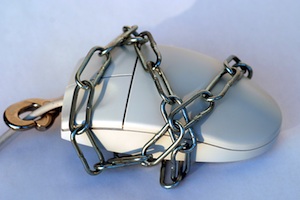
Packed with valuable technology and often open-plan, schools can be prime targets for both organised and opportunistic theft. Netbooks, laptops and tablets are small and light, so they can be easily concealed and removed from a building if the effective security measures are not in place.
ICT theft does not just cause inconvenience for students, who may be left without computer equipment. Having laptops stolen can result in increased insurance premiums if your school has to claim for its loss, and you could even be fined up to £500,000 by the Information Commissioner’s Office (ICO) if the theft results in a breach of the Data Protection Act. More worryingly, pupil safety could be severely compromised if information about vulnerable children falls into the wrong hands.
According to the latest ICT Provision and Use in Schools report by the British Educational Suppliers Association (BESA), the average UK secondary school has around 86 laptops. Even more extraordinarily, the same report holds that, of the 2.5 million computers currently used by pupils in UK schools, the majority of them are laptops.
With so many schools favouring portable computers, laptop storage and charging trolleys are now commonplace in our classroom, providing teachers will a fully mobile ICT suite that can be wheeled between rooms of pupils. Unfortunately, with the rise in popularity of laptop trolleys comes an entire field of associated jargon, making it very difficult to decide which laptop trolley best meets a school’s needs. To make things even more complicated, different manufacturers can often mean different things when they use a particular term.
To help make your decision a little easier, I thought I’d run through some of the most common, and most confusing, phrases, to provide some clarity.







1,300+ guest writers.
2,500+ ideas & stories.
Share yours.

A community-driven platform for showcasing the latest innovations and voices in schools
Pioneer House
North Road
Ellesmere Port
CH65 1AD
United Kingdom